How to Become a Dropshipping Partner in Pakistan: Cheapest.pk Registration, Wallet and First Order
November 2, 2026
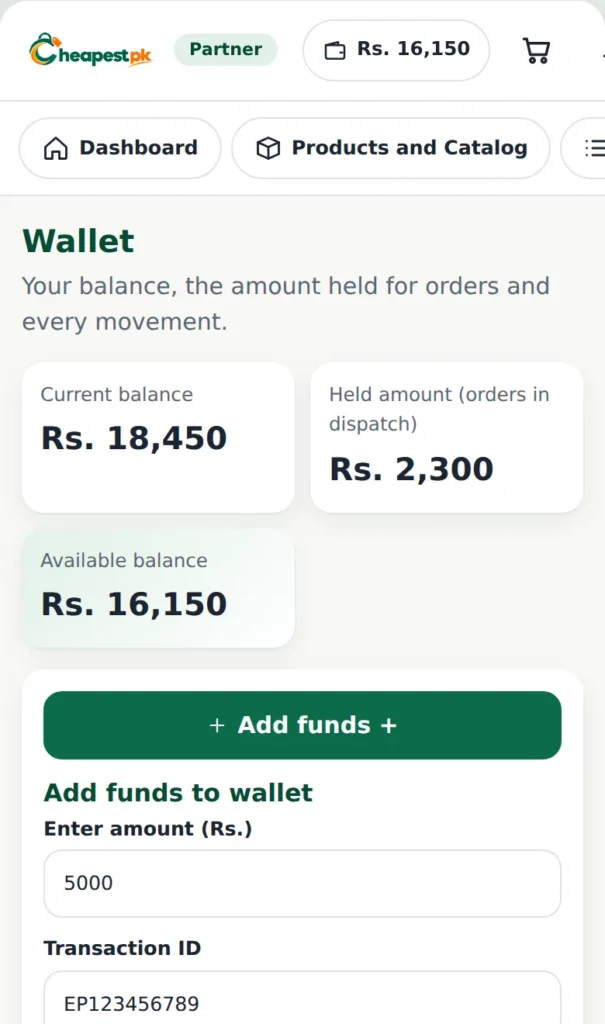
In short: to become a dropshipping partner on Cheapest.pk you register, send the registration payment, wait for the team to verify it and approve you, add funds to your wallet, and place your first order from the catalog. This guide shows each step.
Becoming a dropshipping partner in Pakistan with Cheapest.pk takes a few simple steps, and this guide explains them in order, with pictures of each screen.
Before you register as a dropshipping partner in Pakistan
Have these ready: your name, your mobile number (format 03XX-XXXXXXX), your email, your city and address, a password of at least 8 characters, and the details of your registration payment (the payment method, the transaction ID, the sender name and a photo of the receipt). If you sell on Daraz, keep your Daraz labels (AWB) ready too.
Step 1: Register as a dropshipping partner
- Open the Seller / Dropshipper registration page.
- Fill in your details and create your password.
- Choose how you will pay the registration payment, and enter the transaction ID and the sender name.
- Upload a clear photo of the payment receipt.
- Accept the terms and send the form.
If you already have a customer account, you can use it: log in first and then send the form.
Step 2: Verification and approval
Our team first verifies your registration payment and then approves your application. You are told in your account and by notification. If something needs attention (for example an unclear receipt), the dashboard says what to fix, and you can send it again.
Step 3: Add funds to your wallet
Your wallet pays for your orders. Open Wallet, press Add funds, enter the amount, the transaction ID, the sender name, the payment date and time, and upload the receipt. Your wallet is credited after the payment is verified.
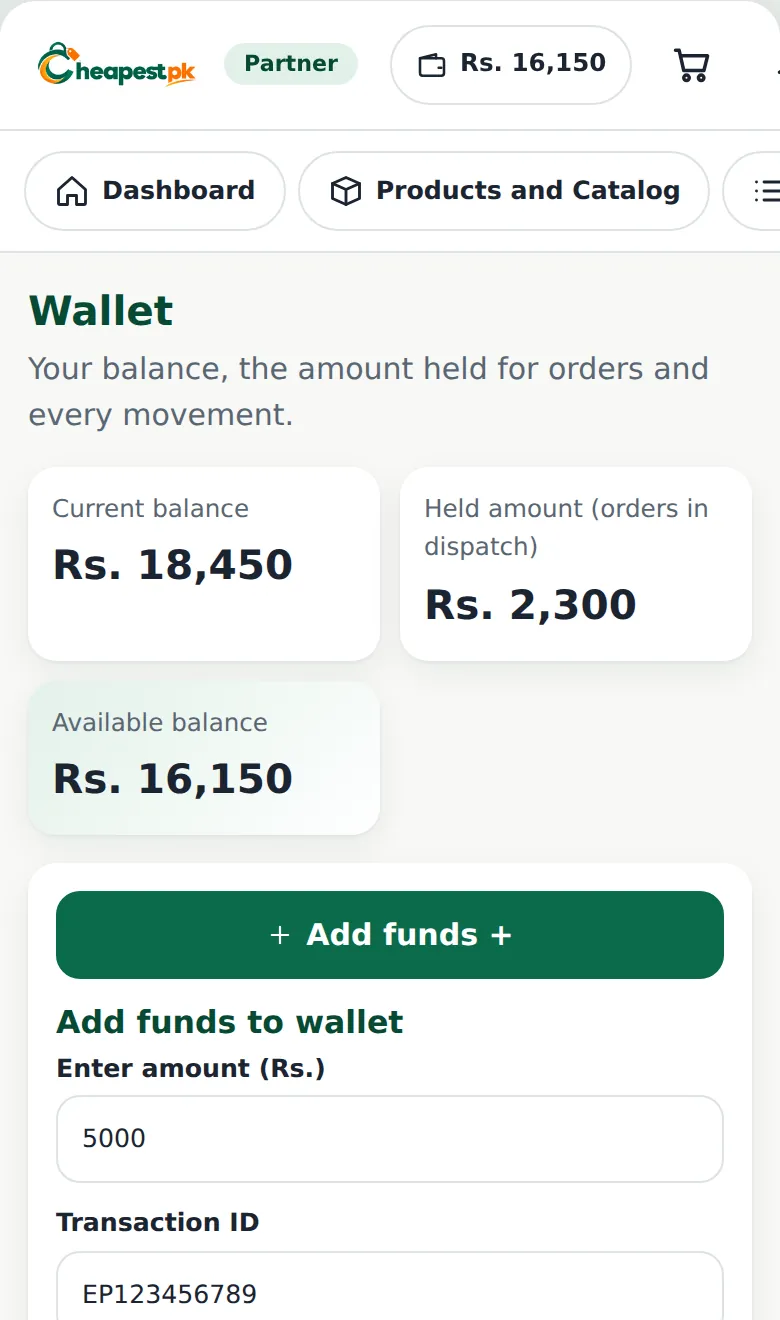
The wallet shows three numbers: the current balance, the held amount (money set aside for orders that are being dispatched) and the available balance (what you can use for a new order). Every movement is listed in the ledger.
Step 4: Choose products from the catalog
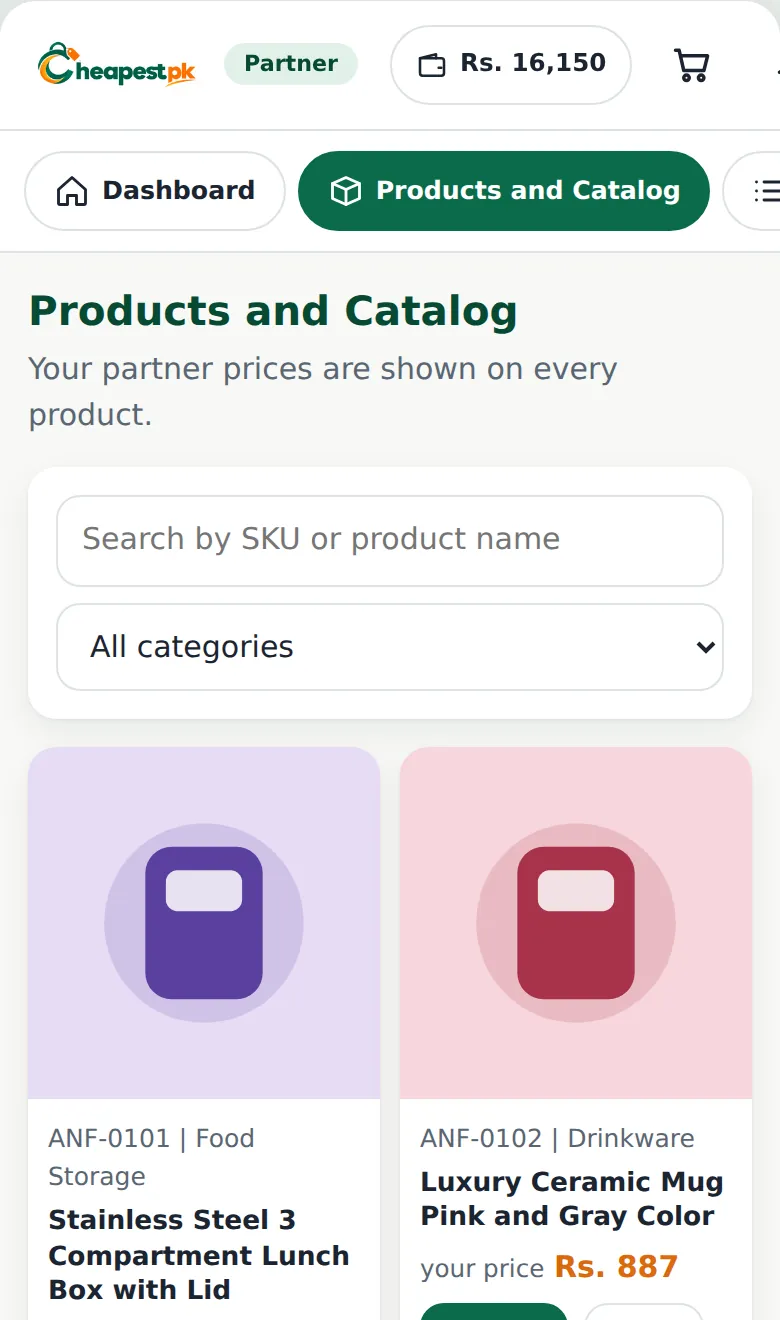
Open Products and Catalog. Search by name or code, or pick a category. Every product shows your price, the partner price you pay. Add the products to your cart.
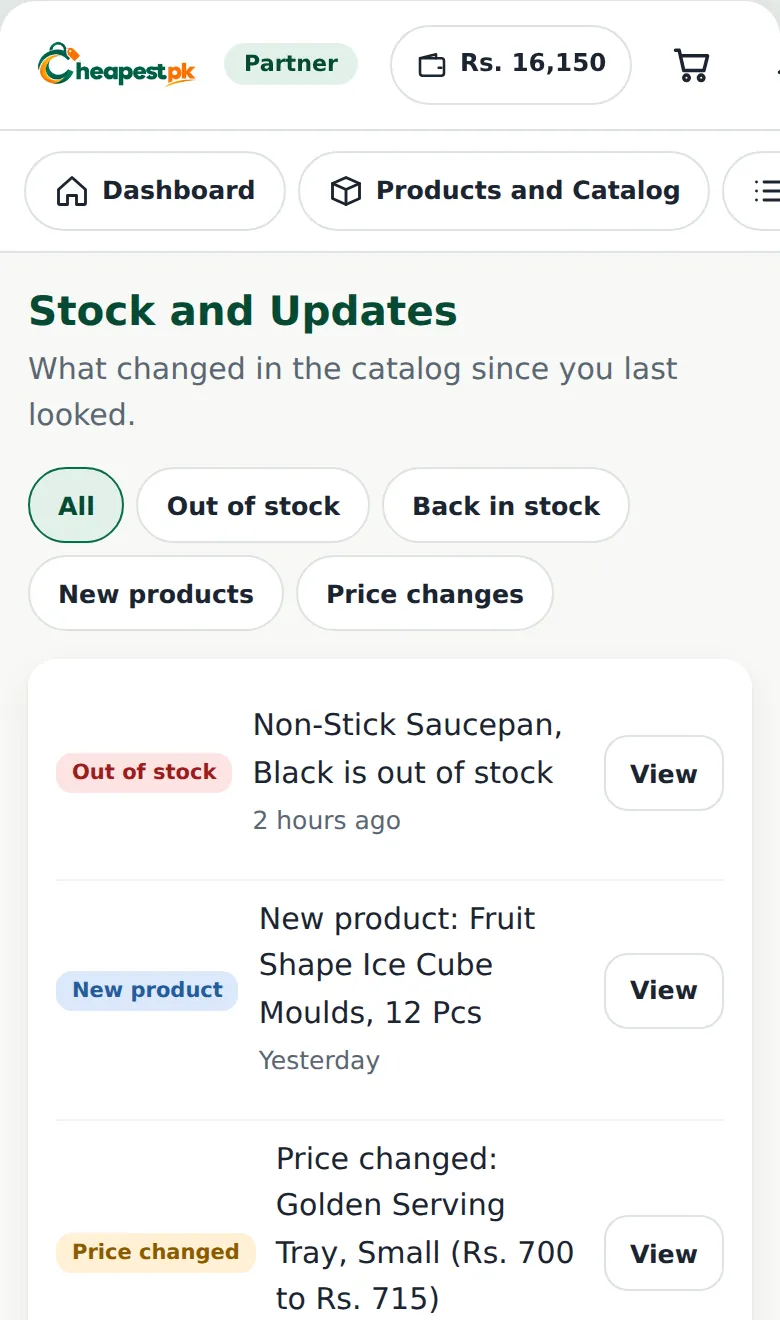
Tip: check the Stock and Updates page regularly. It shows new products, price changes, products back in stock and products that went out of stock, so you do not promise a customer something we cannot send.
Step 5: Place your first order
Enter your customer’s name, mobile number, city and full address. Then choose the label:
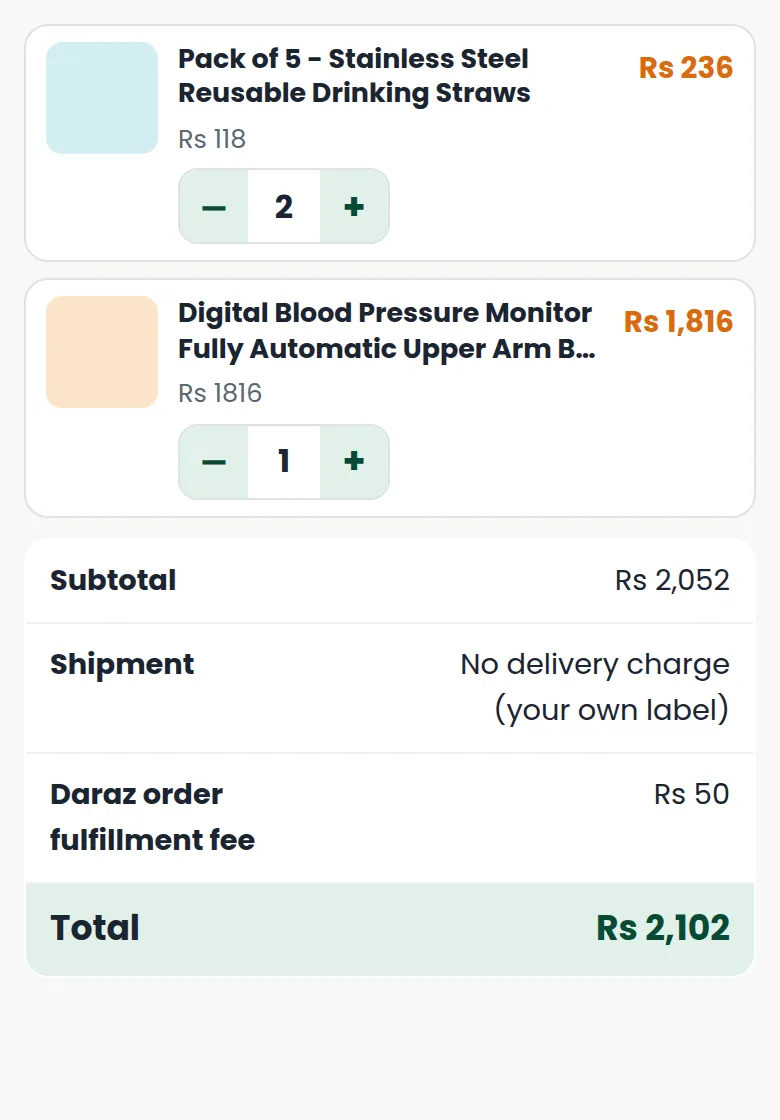
- Your own courier label: no delivery charge is added by us. Upload your label.
- Your Daraz AWB: a small Daraz order fulfillment fee is added.
Check the summary: each product has its picture, price and quantity buttons (+ and -), and the totals below update by themselves. Pay from your wallet and place the order.
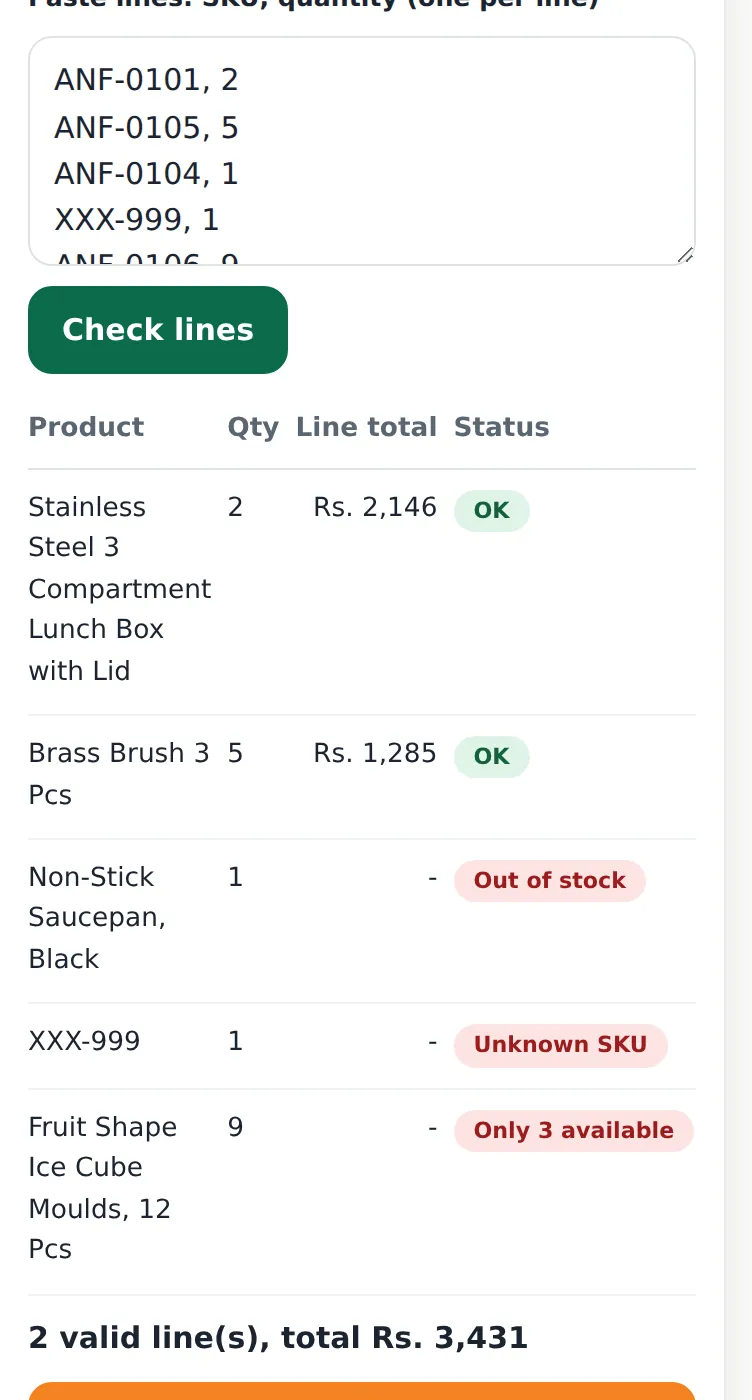
Bulk orders: Place Order lets you paste lines (code and quantity, one per line). The system checks each line and tells you if a code is unknown, a product is out of stock, or only a smaller quantity is available. Then you add all the valid lines to the cart at once.
Step 6: Follow the order
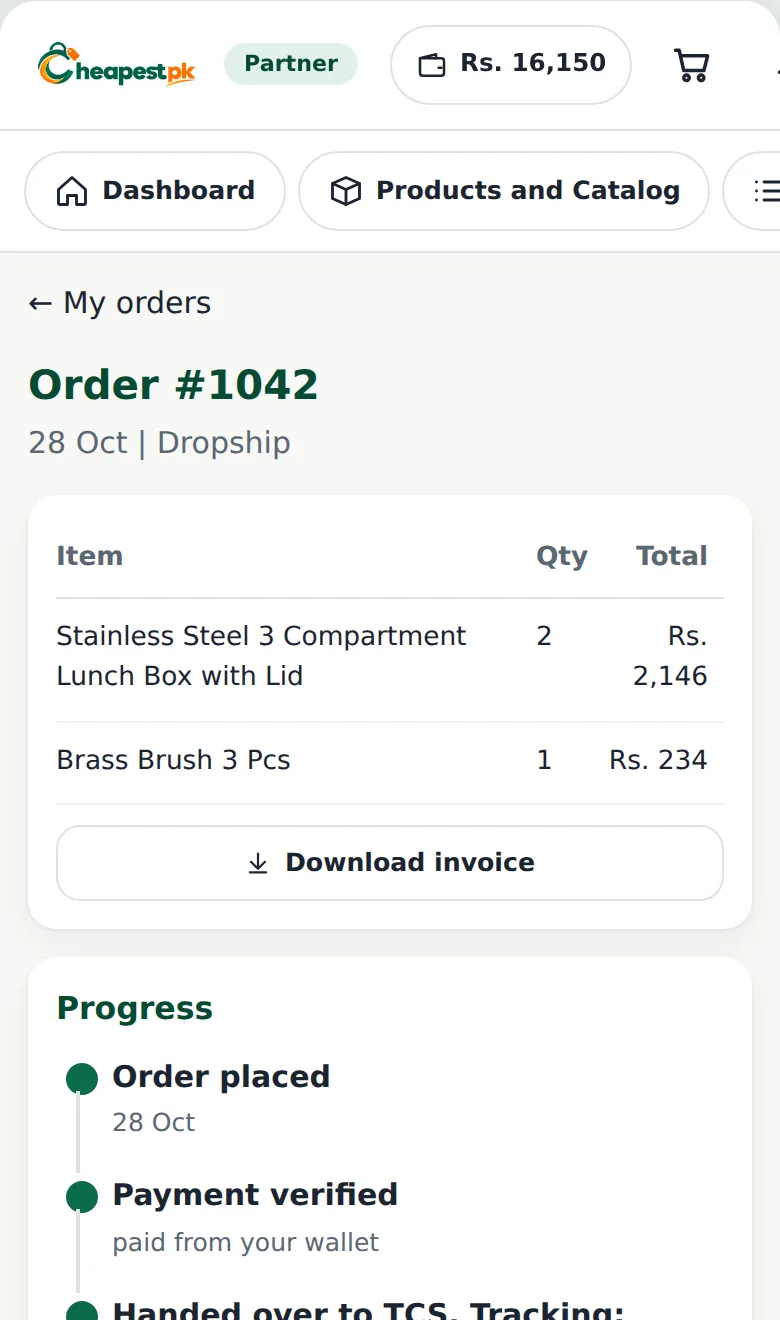
Open the order to see its progress: order placed, payment verified, packing, handed to the courier (with the tracking number), and delivered. You also see the payment summary, your label and documents, and a clear note about your payout. You can download the invoice.
If the label is missing or not valid, the order shows in Orders to fix on your dashboard. Upload the label so the team can pack the parcel.
Step 7: Returns and help
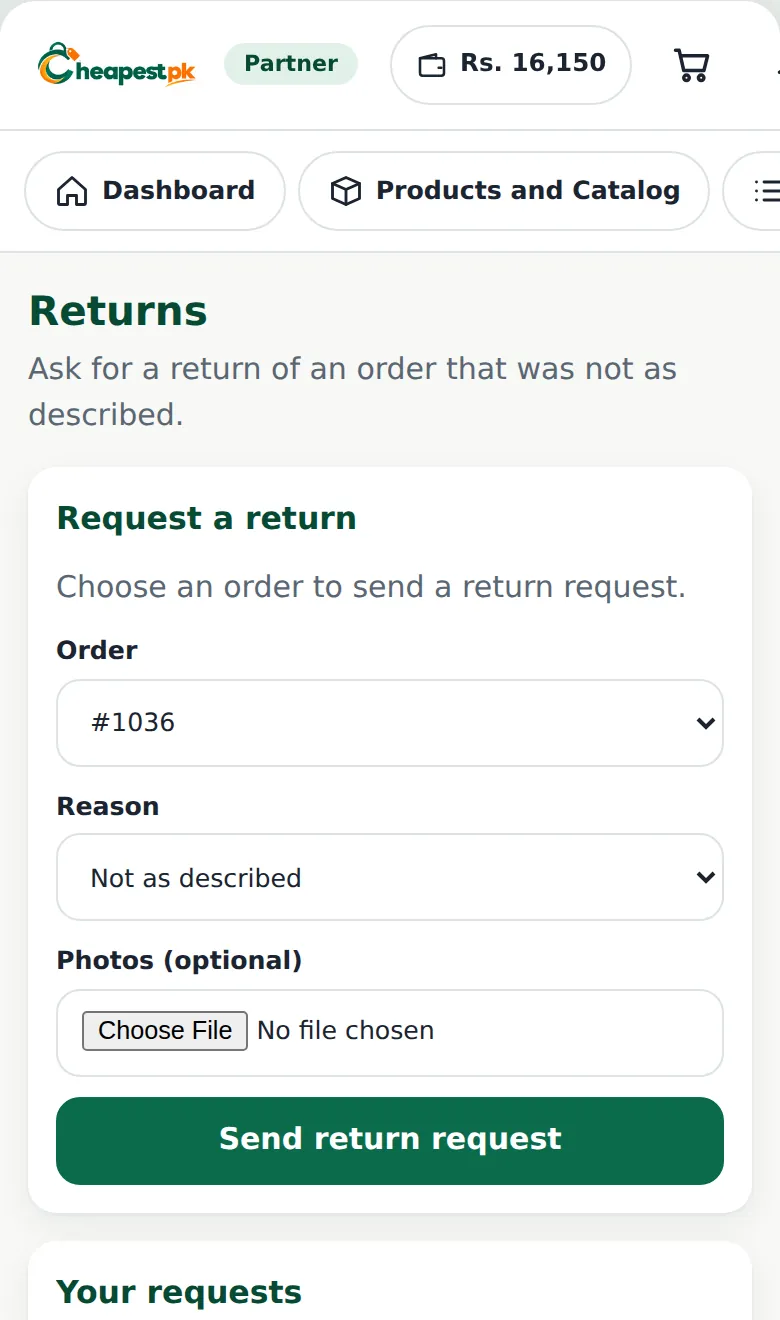
If a customer receives a wrong or damaged product, open the Returns page, choose the order, write the reason and add photos. You can also open a support ticket or write in Messages.
Tips for new partners
- Start with a few products you understand, and learn from the first orders.
- Confirm every order with your customer before you place it.
- Write the customer’s address completely, with a landmark if you can.
- Do not promise delivery dates that you cannot control.
- Keep your wallet topped up, so you can place an order when a customer is ready.
A dropshipping partner in Pakistan does best by confirming every order, keeping the wallet funded and answering customers on the same day. These habits matter more than any single product.
Dropshipping partner FAQ
How long does approval take?
We verify the registration payment first and then approve the account. You are told in your dashboard. Clear receipts and correct details make it faster.
Can I use more than one payment method for my wallet?
Yes. The add-funds form lets you choose the payment method each time: Easypaisa, JazzCash or bank transfer.
Where do I see how much I have earned?
The order page shows the payout status, and the wallet ledger lists every credit and hold. Your profit from a delivered order is added after the order is completed.
Who do I ask if I am stuck?
Open Support or Messages in your dashboard. You can also use the partner WhatsApp group link shown on your dashboard.
Next step: register as a partner, then read orders, labels and returns for Daraz and social media sellers.