
Dropshipping Orders for Daraz and Social Media Sellers: Your Own Label, Tracking and Returns
November 2, 2026
In short: if you sell on Daraz, Facebook, Instagram or WhatsApp, you can place your customer’s order on Cheapest.pk with your own courier label or your Daraz AWB. This guide explains how to place the order, how to follow it, and how to handle a return.
Placing dropshipping orders correctly saves you time and money. This guide shows how Daraz and social media sellers place dropshipping orders with their own label or Daraz AWB, and how to handle returns.
Who this guide is for
This guide is for dropshippers and resellers who already have customers and want a supplier that packs and sends the parcel. If you are new, start with Dropshipping in Pakistan: a complete guide.
Two ways to send the parcel
1. Your own courier label
You book the parcel with your courier and upload the label to the order. We pack the parcel and attach your label. No delivery charge is added by us in this case, because you pay your own courier.
2. Your Daraz AWB
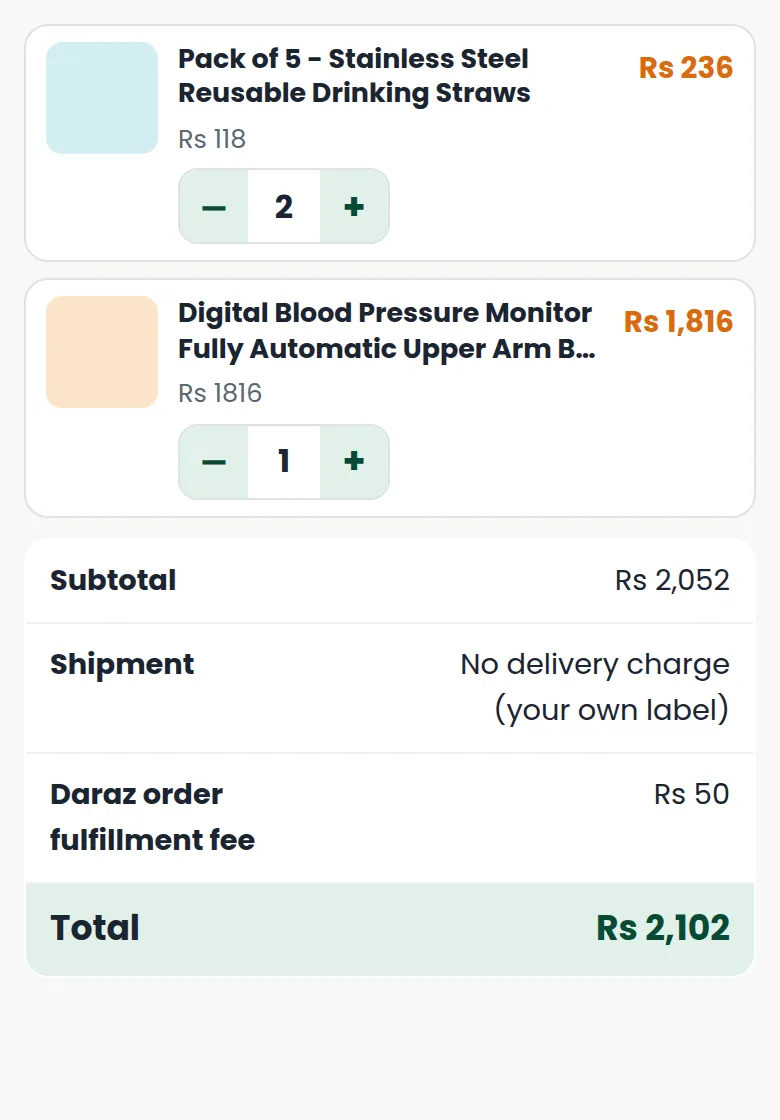
If the customer ordered from you on Daraz, upload the Daraz AWB (air waybill). We pack the parcel and send it to the Daraz hub. A small Daraz order fulfillment fee is added to the order.
How to place dropshipping orders
- Log in to your partner dashboard and open the catalog.
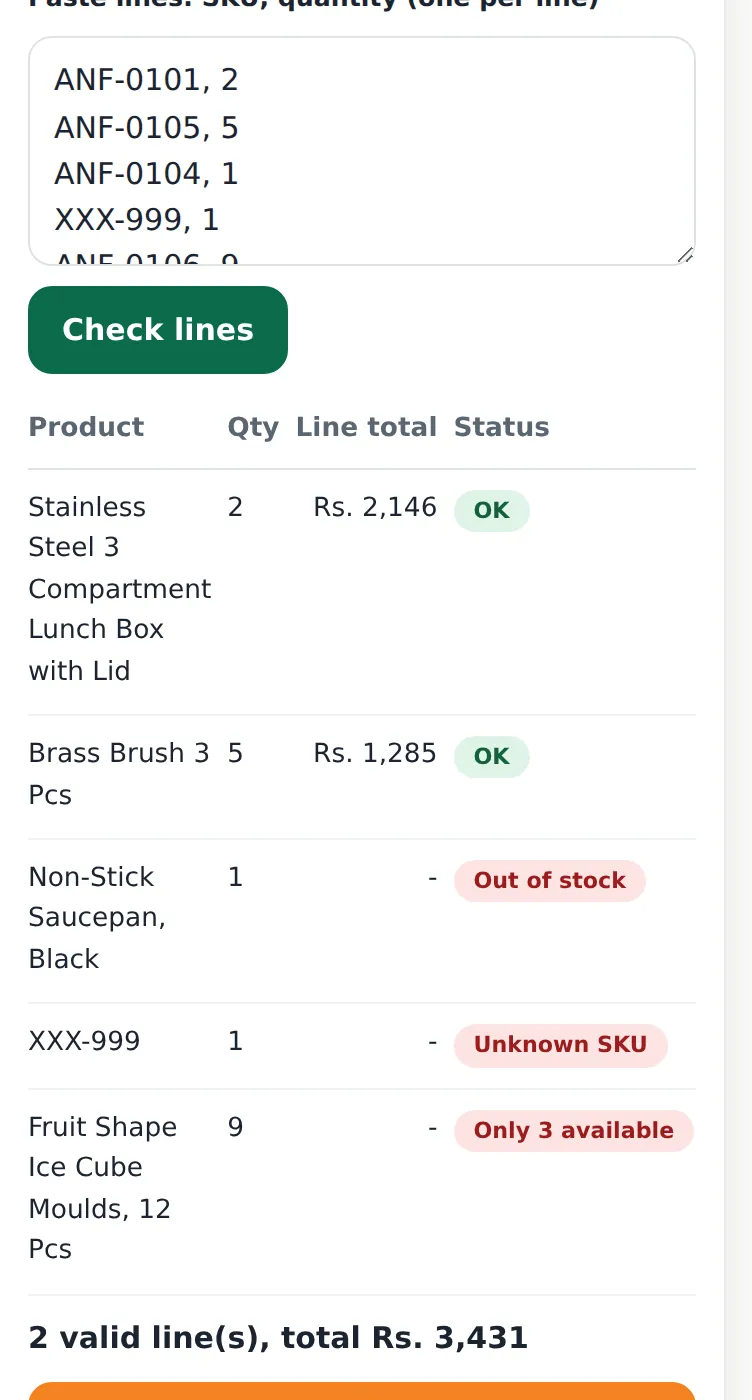
- Add the product to the cart. Use Quick order if you have many lines.
- Enter your customer’s name, mobile number, city and full address.
- Choose your own label or your Daraz AWB.
- Check the summary. Use the + and – buttons on a product to change the quantity: the totals update by themselves.
- Pay from your wallet and place the order.
Upload the label
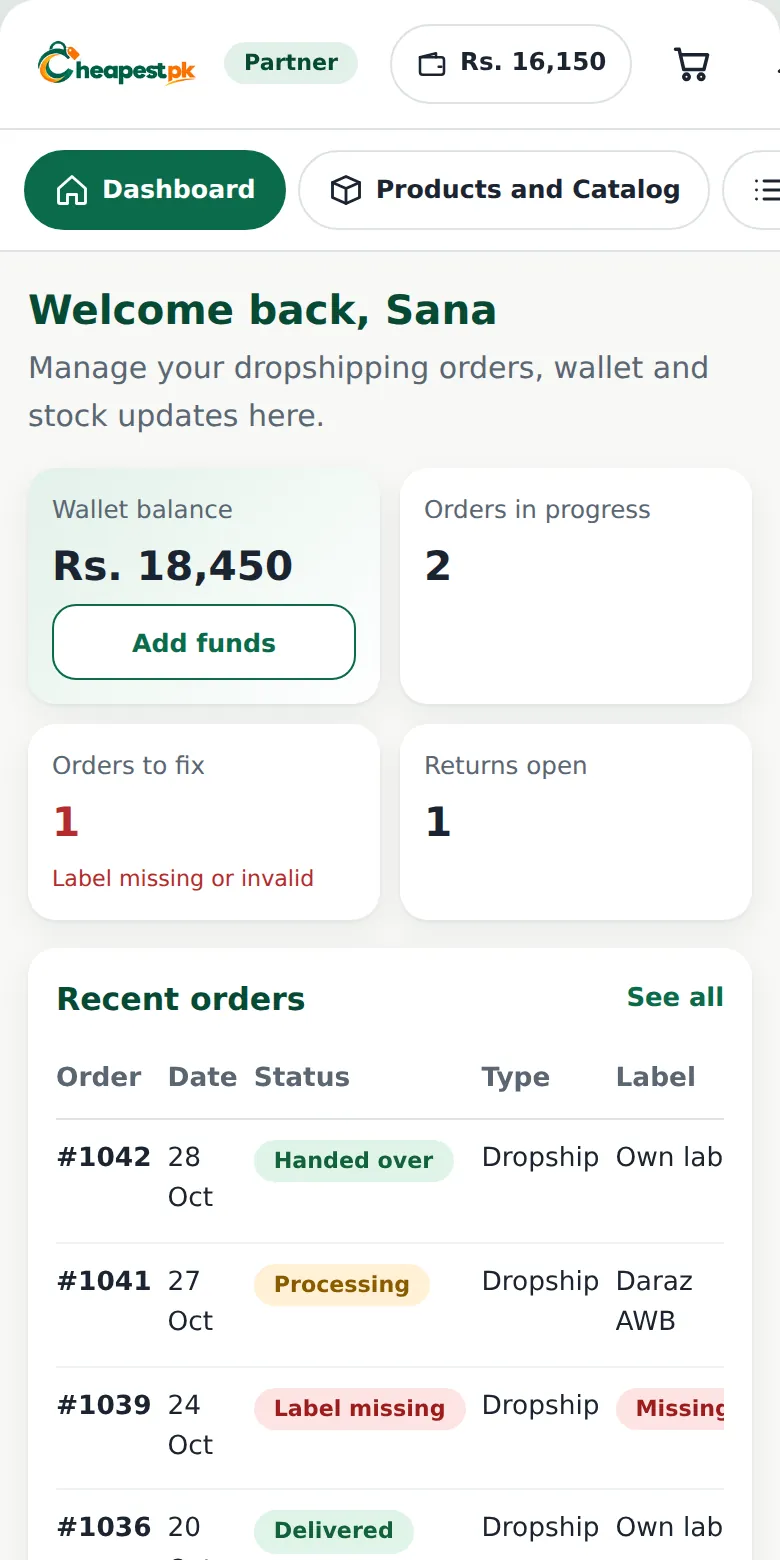
Open the order and upload the label. If the label is missing or invalid, the order appears under Orders to fix on your dashboard, so you do not forget. A clear, uncut label (all four corners visible, no glare) helps the packing team.
Follow the order
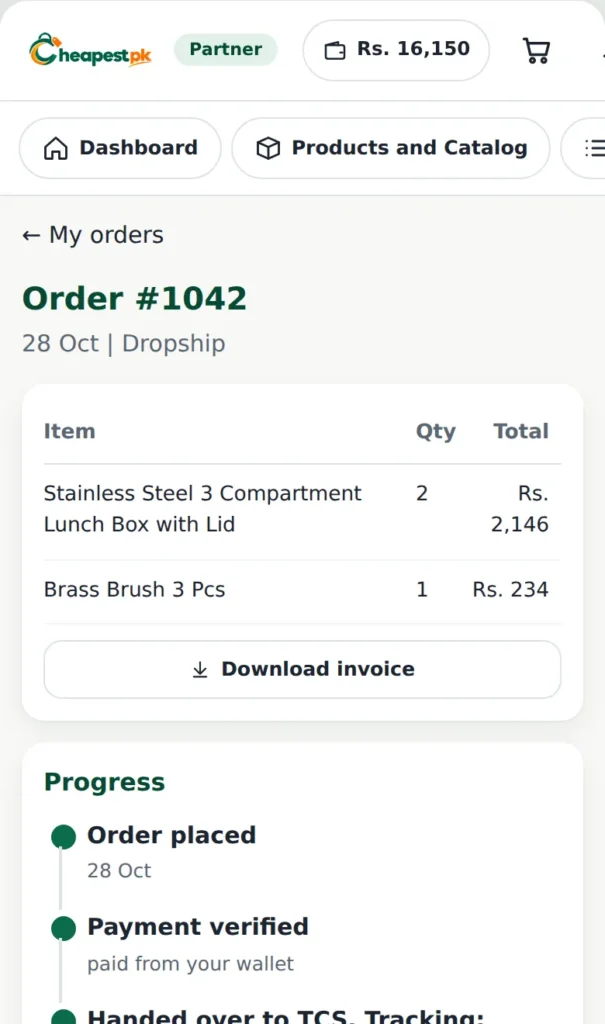
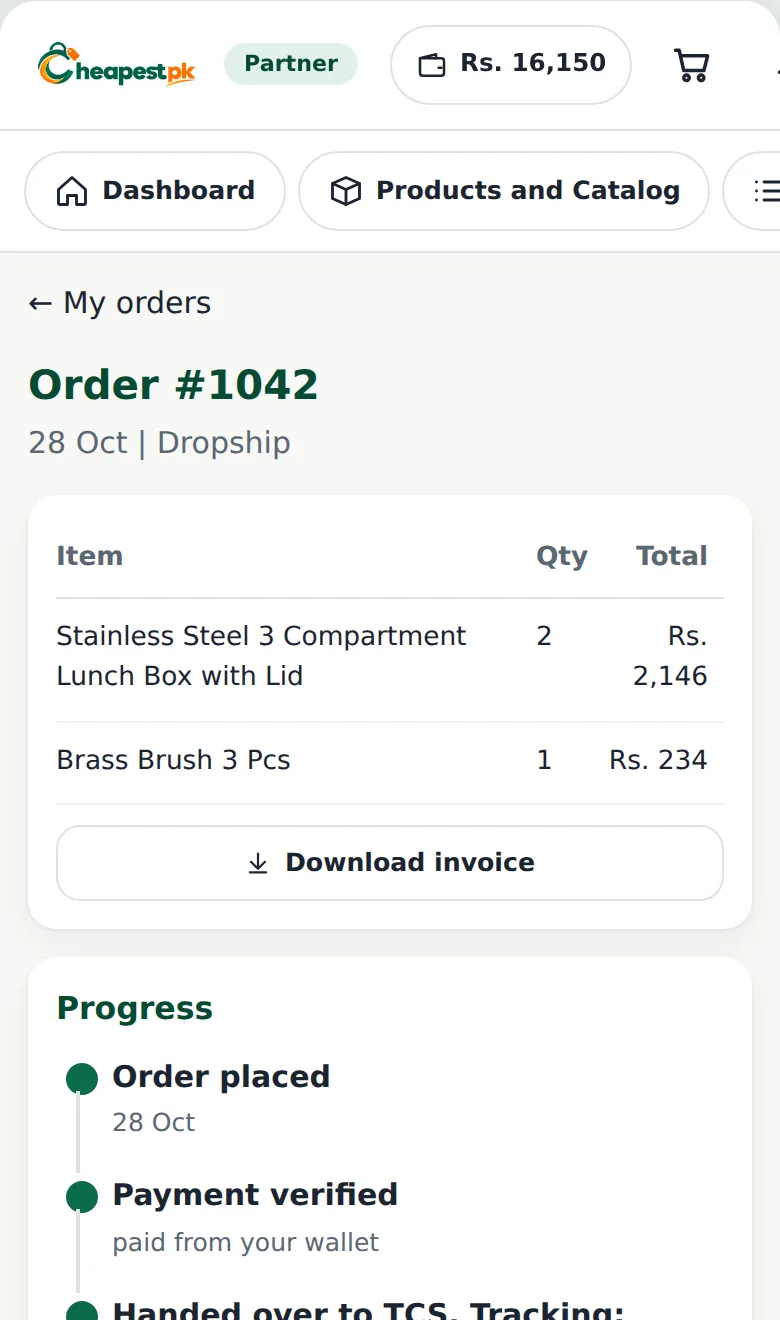
The order page shows the progress: order placed, payment verified, packing, handed to the courier with the tracking number, and delivered. It also shows the payment summary, your label, and a note about your payout. You will get a notification at every important step.
If the customer wants to return the parcel
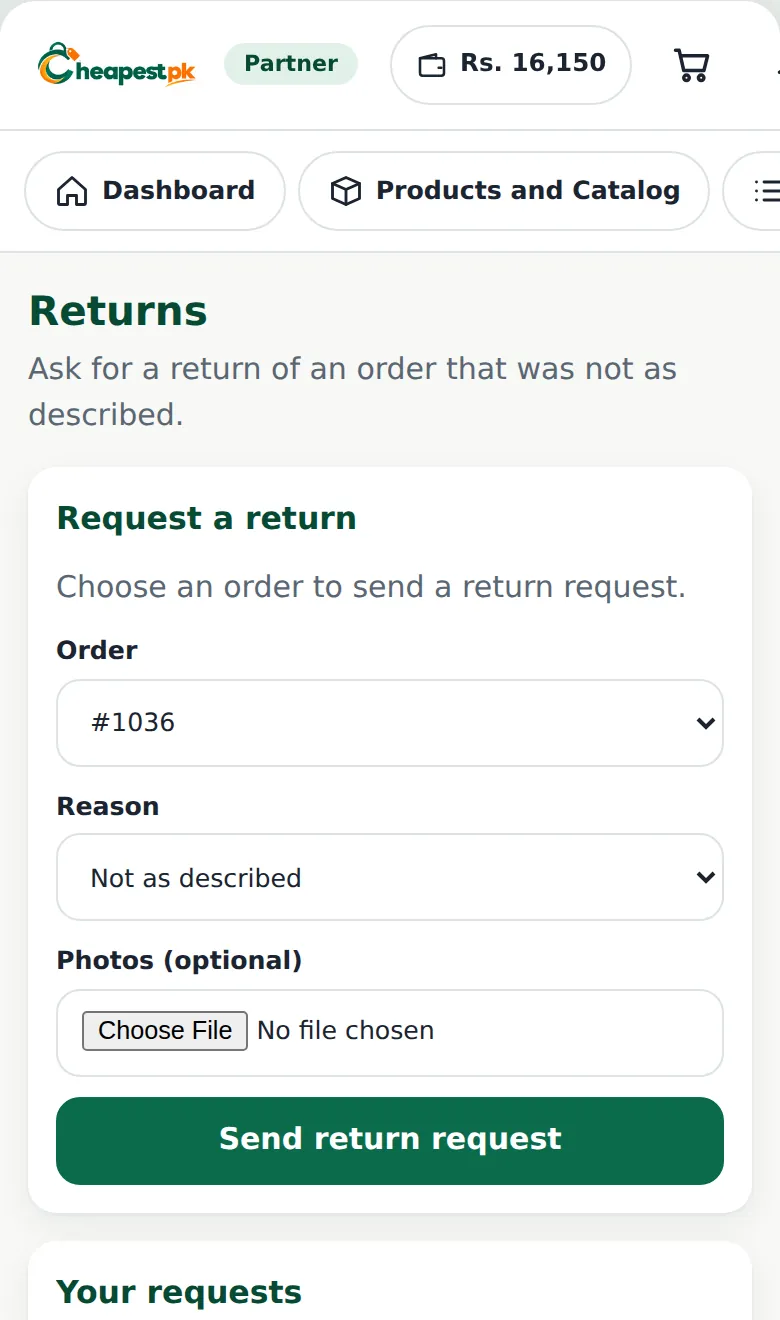
Returns happen in every online business. When the product is damaged, wrong, or not as described, open Returns in your dashboard, choose the order, write the reason and add photos. Our team reviews it and updates the status. Keep the conversation with your customer polite and quick: customers who feel heard are less likely to leave a bad review.
Good habits for fewer problems
- Confirm the order with your customer before you place it.
- Copy the address exactly, with the city and area.
- Check Stock and Updates before promising a product.
- Tell your customer the real delivery time and tracking number.
- Answer your customer’s messages the same day.
Confirming the order before you place it
Most problems are cheaper to prevent than to fix. Before you place an order with the supplier, send your customer a short message that repeats the details:
- the product name, colour and size,
- the total price and what it includes,
- the delivery address, with the city and a landmark,
- the mobile number that the courier will call.
Ask the customer to reply “yes”. A confirmed order has far fewer returns and failed deliveries, and you can show the message if there is a dispute.
Wrong product, wrong size, wrong colour
Many returns are not the supplier’s fault: the customer chose a size or colour by mistake. Write the choice clearly in your confirmation message, and place the order with exactly the same details. Check the product options before you pay from your wallet.
What to tell your customer about delivery
Say honestly that delivery times depend on the courier and the area. Share the tracking number as soon as you have it. If the parcel is late, tell the customer before they have to ask. A short, polite update keeps the customer on your side, even when the courier is slow.
Photos that protect you
If a customer says the product was damaged, ask for clear photos of the product, the box and the label. Send them with your return request. Photos make it easier for our team to decide quickly and fairly, and they protect you from losing money on a claim that is not true.
A note about Daraz and other platforms
Each platform has its own rules for sellers, delivery times and returns. Read them before you list a product, and only list what you can supply. Using the Daraz AWB option on Cheapest.pk does not change the rules of Daraz: you remain responsible to your customer on that platform.
Good dropshipping orders start with a confirmed customer, a complete address and the right label. Keep those three right and your dropshipping orders will run smoothly.
FAQ for Daraz and social media sellers
Can I sell on Daraz and fulfil with Cheapest.pk?
You can place the order with your Daraz AWB. Please follow the rules of the marketplace you sell on, and do not list products you cannot supply.
What if I forget to upload the label?
The order stays in Orders to fix until the label is uploaded. The parcel cannot be packed without it.
Where do I see my customer’s parcel?
Open the order: the tracking number and the courier are shown when the parcel is handed over.
Order kaise place karein? (How do I place an order?)
Catalog se product cart mein dalein, customer ki details likhein, apna label ya Daraz AWB chunein, wallet se payment karein aur order place karein.