
Supplier Guide: Add Products, Pack Orders, Track Earnings and Get Paid
November 2, 2026
In short: after approval, a supplier adds products with clear pictures and honest details, confirms and packs the orders that arrive, sends them to our warehouse, and gets paid after delivery. This guide explains each part and how to sell more.
This supplier guide explains, in simple steps, how to add products, handle orders, understand earnings and get paid. Use this supplier guide together with the dashboard on Cheapest.pk.
Your supplier dashboard
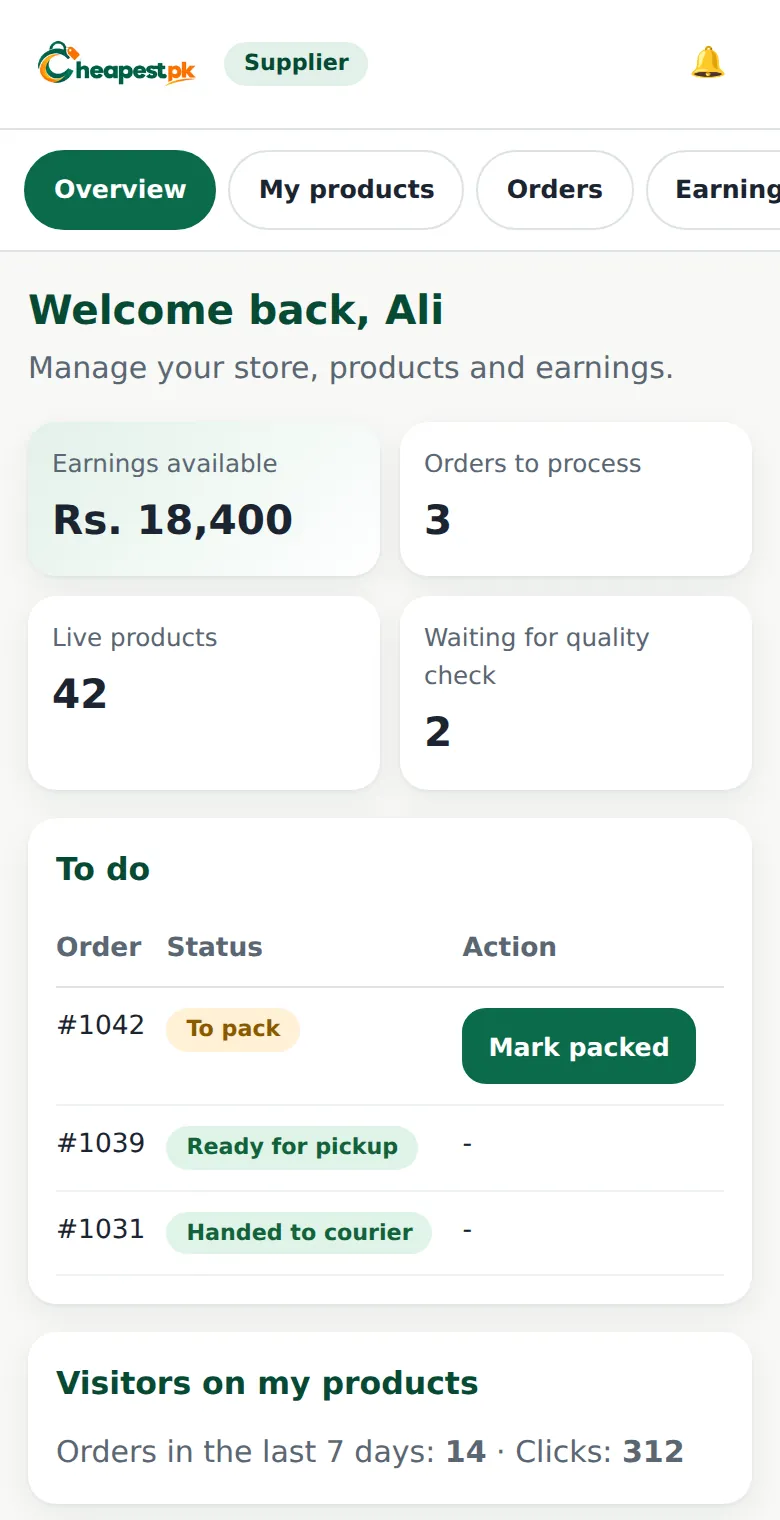
The dashboard shows what needs your attention: orders to process, products waiting for the quality check, live products, the earnings available to withdraw, and the visitors on your products. The quick actions let you add a product, upload many at once, or boost a product.
Supplier guide: writing a good product listing
- Use a clear title. Say what the product is, its material and size. Do not add phone numbers or prices to the title.
- Use good pictures. At least 800 x 800 pixels, a clean background, and no text or watermarks. Show the product from more than one side.
- Describe what the customer gets. What it is, the material, the size, and what is in the box.
- Be accurate with stock and weight. The weight decides the delivery charge, and wrong stock makes customers unhappy.
- Keep the price honest. The price you enter is the price you receive for each piece. A very large change in price may be checked by our team.
Bulk upload with a CSV file
To add many products, download the template, fill it in and upload it. You can add up to 30 products at once. Rows with a problem are listed and skipped, and the others are saved. The required columns are the title, category, price, stock and weight in grams. Pictures are given as links (up to three per product) and are copied for you.
The quality check
New products wait for a quick quality check. This usually takes one day. If the team asks for a change, the dashboard shows what to fix, and you can edit and send it again.
Handling orders
When a customer orders your product, the order appears under Orders to process. We deliver to the customers: you confirm the order, pack it and send it to our warehouse. Customer details are not shown to the supplier.
- Confirm the order if you can supply it. If you cannot supply an item, say so right away so the customer is not kept waiting.
- Pack the product safely and mark it as packed.
- Send it to our warehouse with the courier, and enter the courier and the tracking number.
The order status moves from to pack, to ready for pickup, to handed to the courier. You get a notification for new orders and earnings.
Earnings and payouts
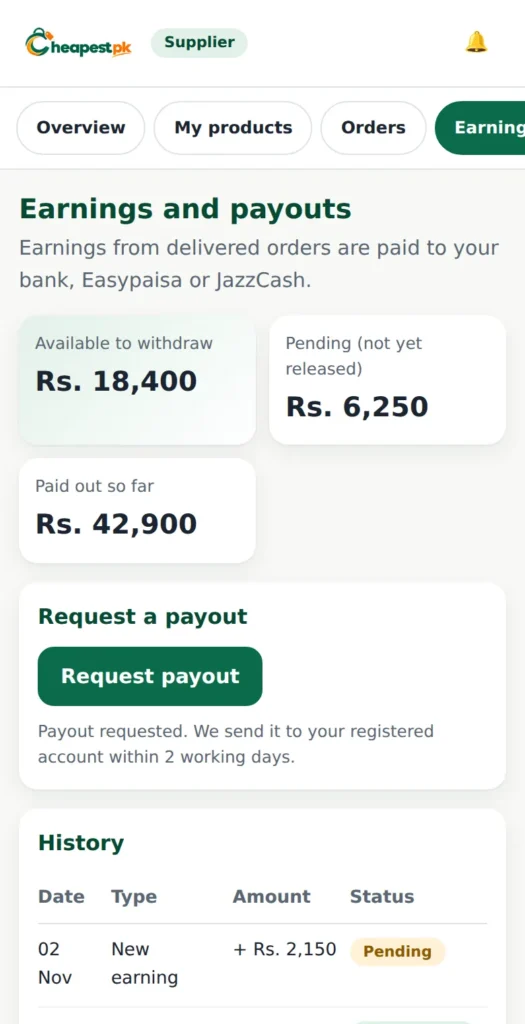
Open Earnings and payouts to see what is available to withdraw, what is pending (not yet released), and what has been paid out. A completed order adds your earning as pending, and it becomes available after a short release period. If an order is refunded or cancelled, a pending earning is cancelled.
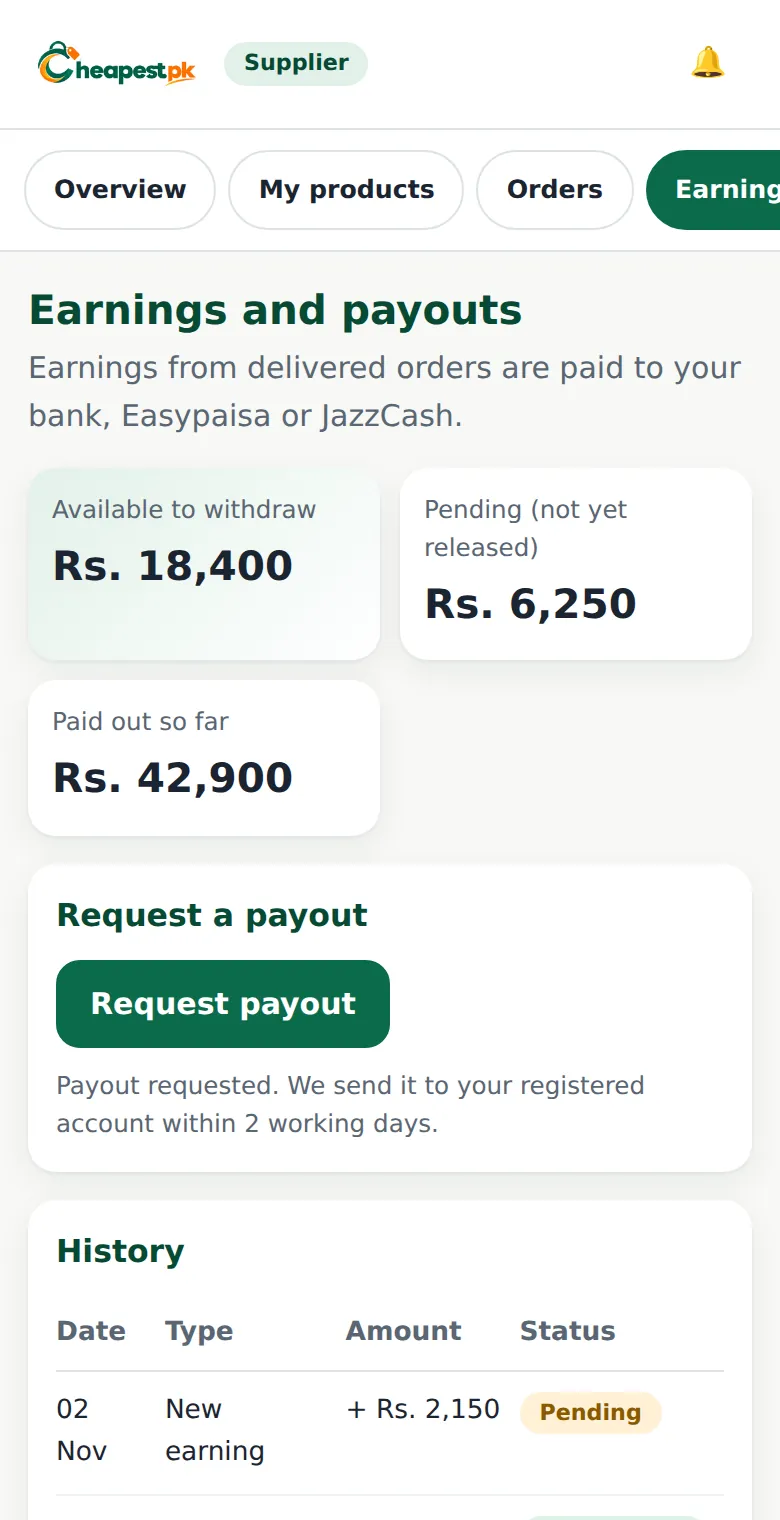
To get paid, press Request payout. A minimum payout amount applies. We send the money to your registered account within two working days. Make sure the payout account title matches the name on your CNIC.
Boosting your products
If you want more sales, you can pay to show a product first. A boosted product appears at the top with a small Sponsored label, in places such as the first page of its category, search results for matching words, or the sponsored row on the home page. The price is taken from your funds when you start. If you stop early, unused days are refunded to your funds. Boosting is optional: your sales earnings are separate from your funds.
Ways to sell more
- Keep your stock updated, so customers are not disappointed.
- Use more than one clear picture.
- Answer customer questions in your product description.
- Watch your clicks and orders: they tell you which products people want.
- Pack well. Damaged products lead to returns and bad reviews.
Packing so the product arrives safely
Damaged parcels cause returns, and returns cost you money and reviews. A few simple habits help:
- Use a strong box or bag that fits the product, without too much empty space.
- Wrap fragile products (ceramic, glass) in soft material and protect the corners.
- Put small parts in a labelled bag inside the package.
- Seal the package well, and keep the order number visible.
- Check the product before you pack it: a product that is already faulty will come back.
Keeping your stock honest
Update your stock when you sell elsewhere, when a batch arrives, and when something is damaged. A customer who orders a product that you cannot supply is disappointed, and you may lose the sale and your good name. If you cannot supply an item, say so immediately from the order page.
When the team asks for a change
Sometimes the quality check asks you to improve a title, a picture or a price. The dashboard says what to fix. Edit the product and send it again. Quick, clear products go live faster and sell better.
A good supplier guide is only useful if you follow it every day: clear listings, accurate stock, careful packing and quick answers.
Supplier guide FAQ
How long does the quality check take?
Usually within one day.
How fast do I get paid?
After your earning is released, you request a payout and we send it to your registered account within two working days.
What if I cannot supply an item?
Tell us from the order page, so the customer can be informed quickly.
Payout kaise milta hai? (How do I get paid?)
Delivered orders ki earning release hone ke baad aap “Request payout” dabate hain aur hum registered account mein bhej dete hain.
New here? Read how to become a supplier first.